Learning how to take card payments UK-side is simpler than most people think. You need a device and an account, and you can be taking cards the same week. This guide covers the real options, honest fees and a plain recommendation, so you can accept card payments without overpaying.
How to take card payments UK: the four main options
When you start to take card payments as a small business, you are really choosing between four setups. Most sole traders and market traders do not need anything fancy. Pick the one that matches how you actually trade, not the flashiest kit in the shop window.
Here is the honest rundown of each, with the catch spelled out so nothing surprises you later.
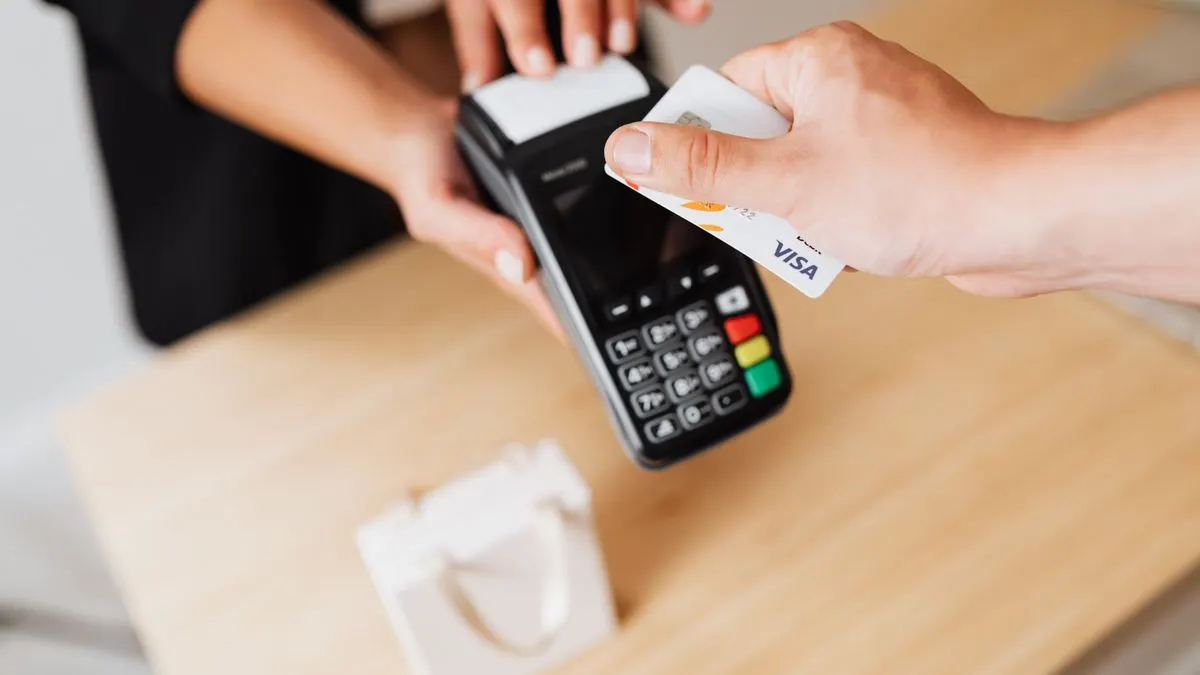
- Card reader: a small handheld device that pairs with your phone or works on its own. Cheap, portable, ideal for cafes, stalls and tradespeople.
- Tap to Pay on phone: turn your own iPhone or Android into a contactless reader with no extra hardware. Handy, but check your phone is supported and there is often a per-transaction limit.
- Full POS or till: a proper till system with a screen, receipts and stock tracking. Great for a busy shop or salon, overkill for a one-person stall.
- Virtual terminal or pay-by-link: take payments over the phone or by sending a payment link. Good for tradespeople invoicing customers, but rates are usually higher for keyed-in payments.
What you actually need to start
Ignore the noise. To accept card payments you need two things: a device to read the card, and a merchant account to move the money to your bank. With the popular pay-as-you-go providers, the account and the device come together, so it is one signup and one box.
You will need proof of ID and your bank details to hand. If you are a sole trader, you do not need a registered company to accept cards. Most people are approved quickly, though the provider may ask for a little extra paperwork if your expected takings are high. A reader itself is a one-off cost of usually somewhere between free on offer and a couple of tens of pounds, so there is no big upfront outlay to worry about. Do not buy more kit than you need on day one. You can always add a receipt printer, a stand or a second reader once you know the business needs it.
How the fees actually work
This is where people overpay, so read carefully. There are broadly two pricing models. The first is pay-as-you-go: no monthly fee, and you pay a percentage of each sale. The second is a monthly contract with a lower per-sale rate, which only pays off once your card takings are high enough to cover the standing cost.
For pay-as-you-go, SumUp runs around 0.99 to 1.69%, while Square and PayPal Zettle both sit at about 1.75% for in-person payments, and none of them charge a monthly fee. myPOS uses a slightly different model at roughly 1.10% plus 7p per transaction. Dojo is quote-based and aimed more at established shops with steady volume. Always check current terms, as providers tweak rates.
The rule of thumb: if you are just starting or your card takings are modest, a no monthly fee option almost always wins. Do not sign a monthly contract to save a fraction of a percent unless the sums genuinely add up for your volume. If you want to run the numbers properly, our fee calculator does it in seconds.
- No monthly fee, percentage per sale: best for starters and low-to-medium takings. Try SumUp, Square or PayPal Zettle.
- Monthly fee plus lower rate: only worth it at higher, steady volume. Get a quote and do the maths first.
- Watch the extras: keyed-in and pay-by-link payments usually cost more than a straightforward tap or chip and PIN.
How fast you get set up and paid
Setup is quick. Order a reader, download the app, sign up with your ID and bank details, and you can often be taking cards within a day or two of the device arriving. Tap to Pay is faster still, since there is no hardware to wait for.
Getting paid is the part people forget to check. With most pay-as-you-go providers the money lands in your bank in one to three working days as standard. Some offer faster or next-day payouts, occasionally for a small fee, and some tie the quickest payouts to using their own business account. If cash flow is tight, check the standard payout speed before you commit, because a few days can matter when you are just starting and every sale counts. It is worth a two-minute read of the payout terms rather than a nasty surprise in your first busy week.
A plain recommendation for most starters
If you are a sole trader, cafe, stall, salon or tradesperson taking cards for the first time, keep it simple. Go with a pay-as-you-go reader from SumUp, Square or PayPal Zettle. No monthly fee, low upfront cost for the device, and you only pay when you actually make a sale.
SumUp tends to have the lowest headline rates and the cheapest reader, so it is a strong default for the smallest traders. Square is the pick if you think you will grow into a fuller till and want the software to grow with you. Zettle suits you if you already live in the PayPal world. Any of the three will do the job well.
Only look at Dojo or a monthly contract once you are established and turning over enough card sales that a lower per-sale rate clearly beats the monthly cost. Until then, do not tie yourself down.
- Smallest traders and tightest budgets: SumUp.
- Planning to grow into a proper till: Square.
- Already using PayPal: PayPal Zettle.
- Established with high, steady volume: get a Dojo or contract quote and compare.
Compare it properly before you buy
Do not just grab the first reader you see at the counter. The gap between providers is small on paper but adds up over a year of trading. Ten minutes now can save you real money later.
Browse the card readers with no monthly fee if you want to keep things cheap and simple, run your expected takings through the fee calculator to see the true cost, or get matched to a provider if you would rather answer a few questions and let us point you to the right fit.
FAQs
What is the cheapest way to take card payments as a small business?
For most small businesses the cheapest way is a pay-as-you-go card reader with no monthly fee, such as SumUp, Square or PayPal Zettle. You pay a percentage of each sale, roughly 0.99 to 1.75%, and nothing when you are not selling. Check current terms, as rates change.
Can I take card payments on my phone without a card reader?
Yes. Tap to Pay lets you accept contactless payments straight on a supported iPhone or Android with no extra hardware. It is quick to set up, though there may be a per-transaction limit and your phone model needs to be supported by the provider.
Do I need a business bank account to accept card payments?
Not necessarily. Sole traders can often use a personal account with pay-as-you-go providers, and you do not need a registered company. You will need your ID and bank details to sign up. A separate business account is still tidier for bookkeeping if you can open one.
How long does it take to start taking card payments?
Usually a day or two. Once you have signed up and your reader arrives, you download the app, log in and start taking cards. Tap to Pay on a phone can be even faster since there is no device to wait for. Payouts to your bank then take about one to three working days.